
BASIC LED RULES
- LEDs must be attached to either the frame or the battery connector in order to be consider “viable”
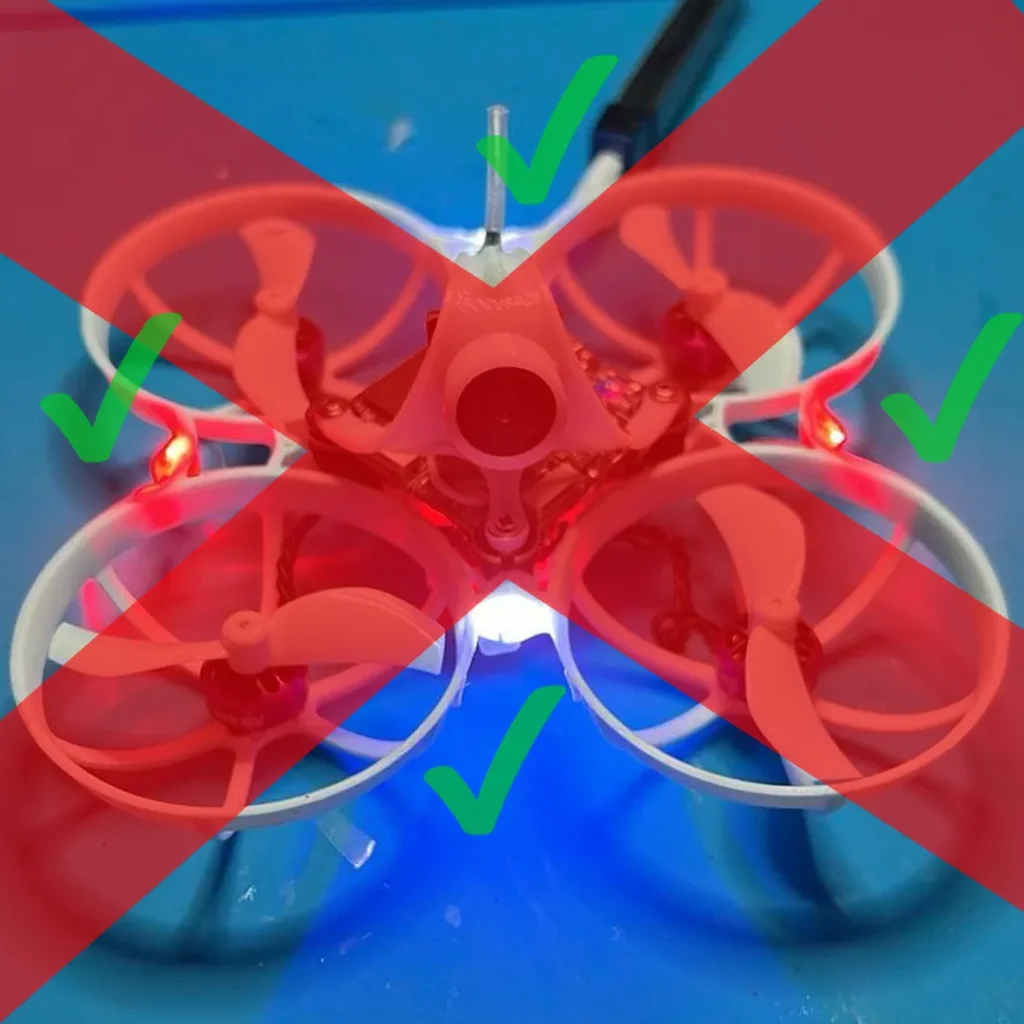
- You must have at least one “viable” LED in each quadrant (more info below)
- The light emitted from at least one of your viable LEDs must be clearly visible regardless of drone orientation
- Do your best to place your LEDs in a configuration that looks good
QUADRANTS EXPLAINED
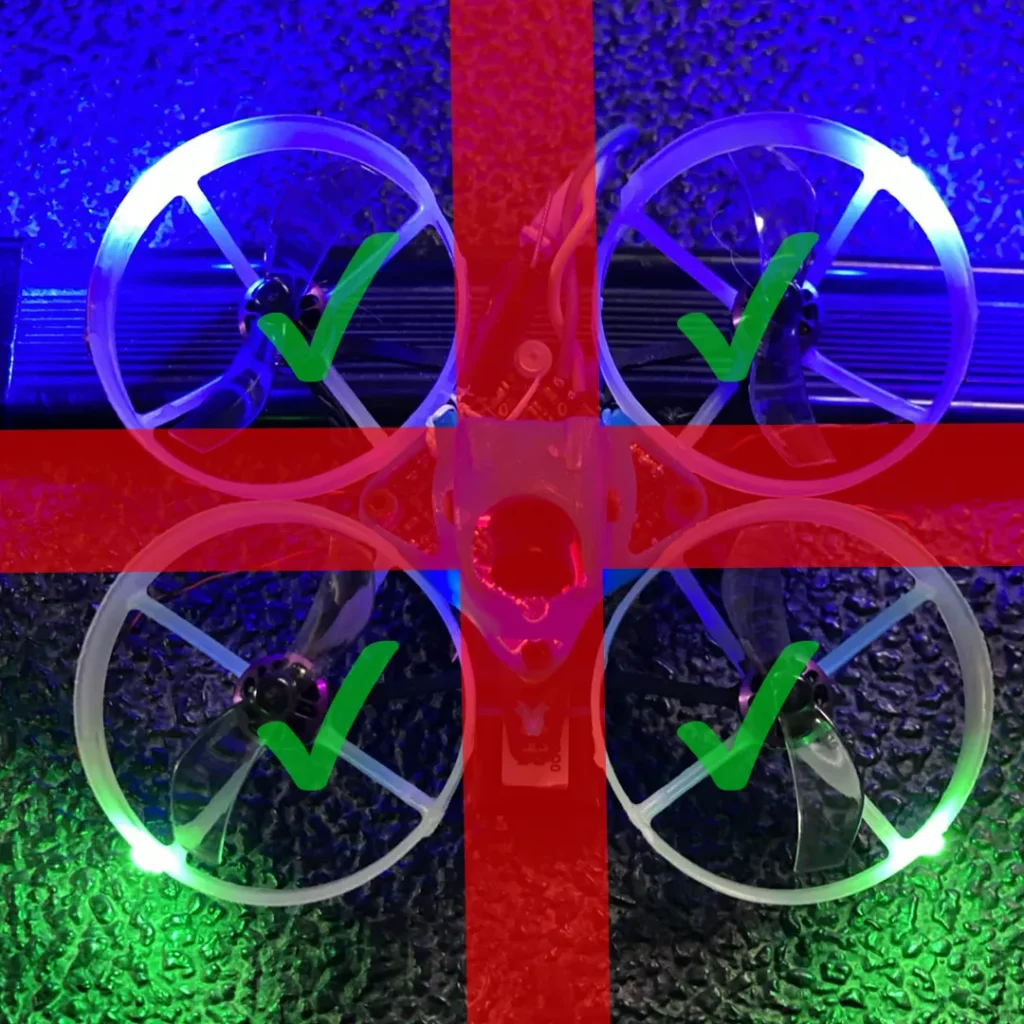
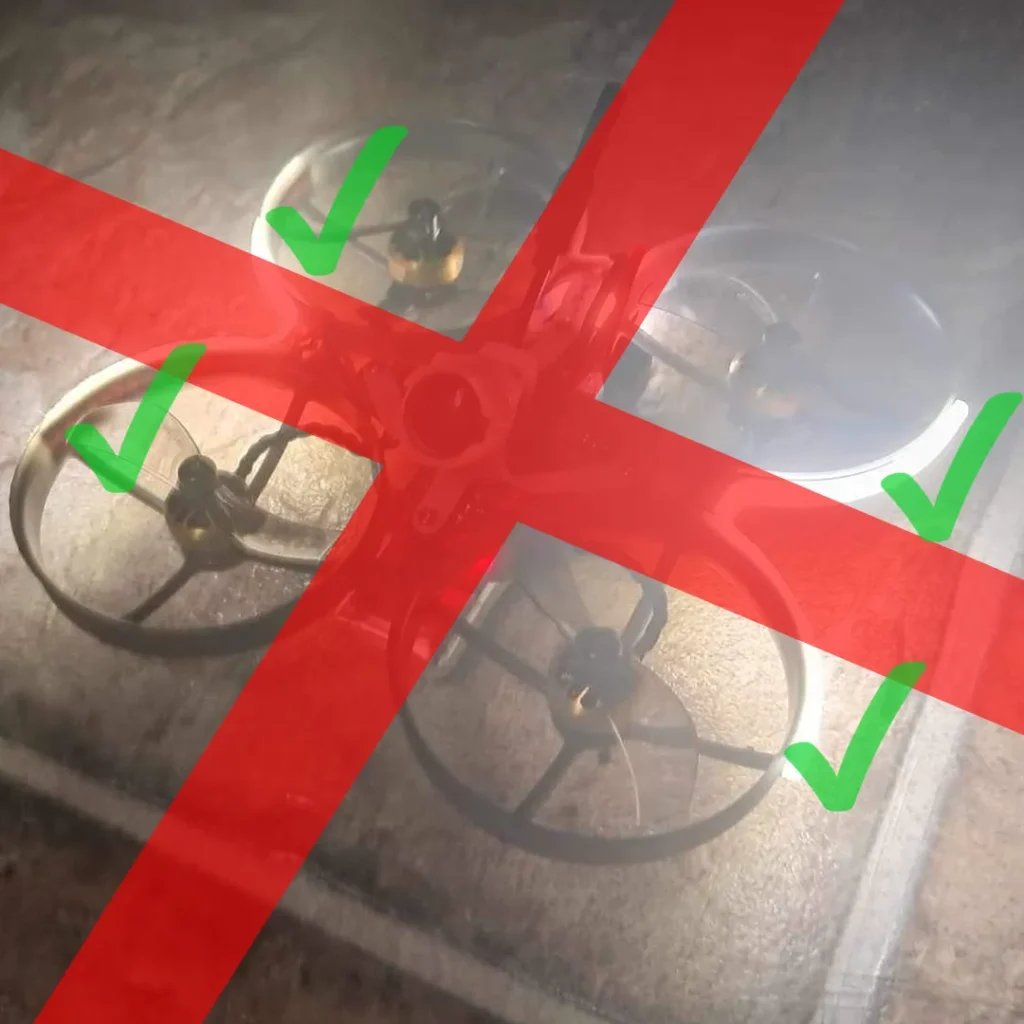
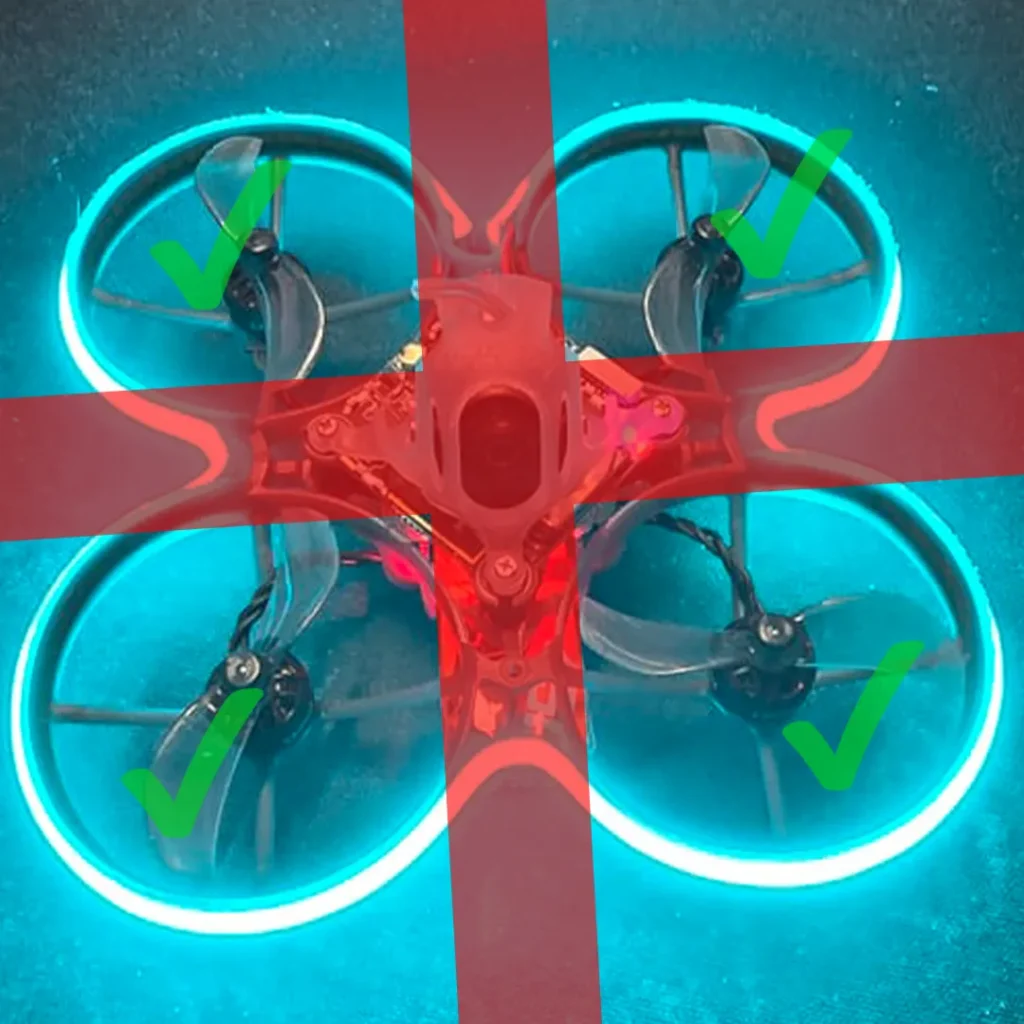
Your drone is broken up into 4 quadrants. Start by picking which quadrant layout you prefer. Then make sure you have at least 1 viable LED in each quadrant fixed to either your frame or battery connector.
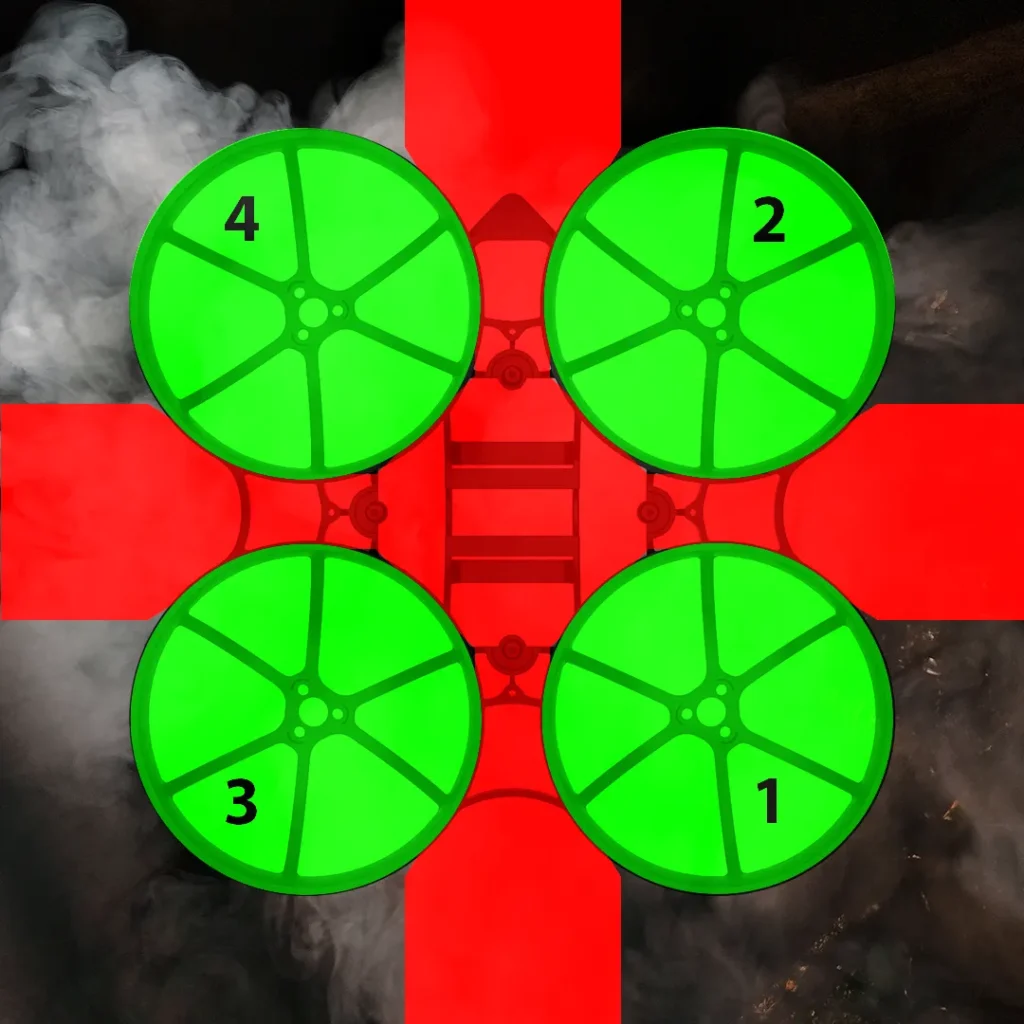
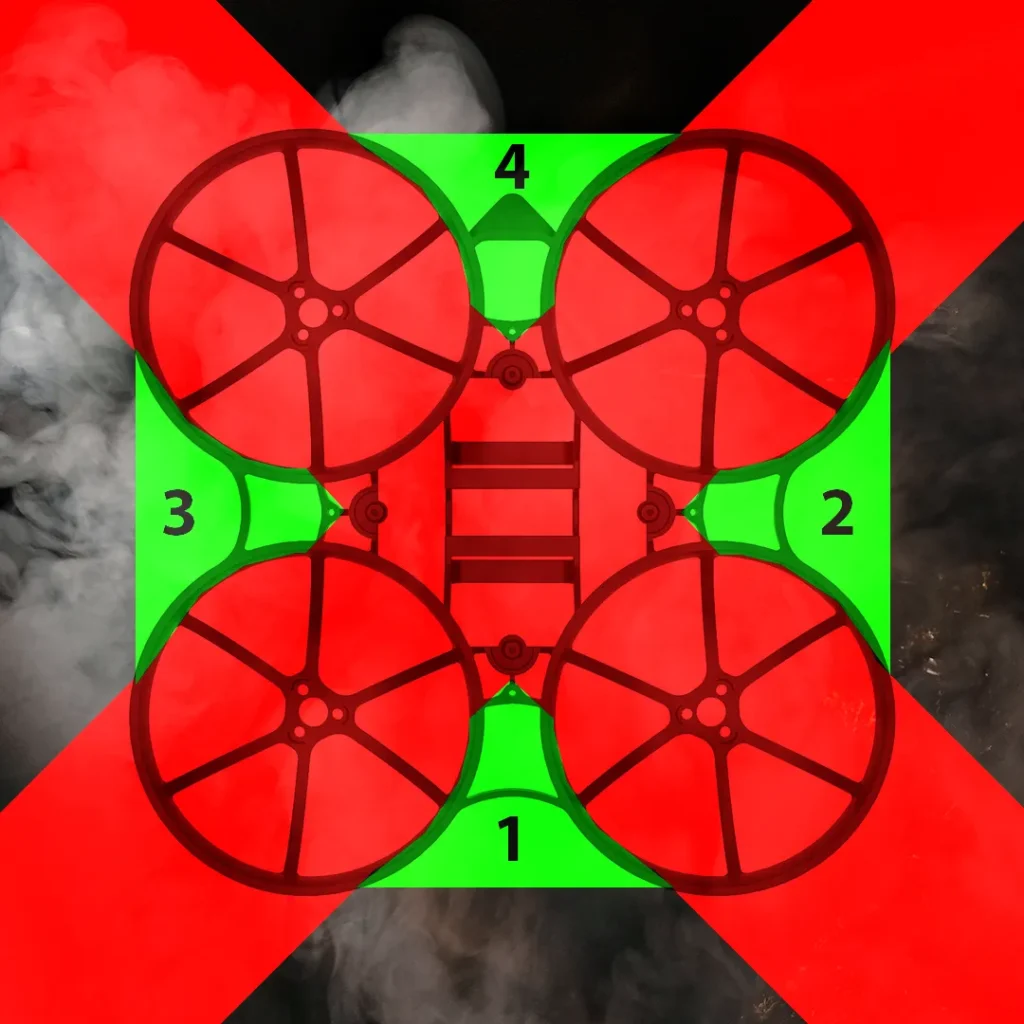
You may have LEDs in the red zones, they just won’t count towards your total requirement.
If you have an LED in 2 adjacent red zones, they will count for having an LED in the green zone between them. See Theoretical Build #2 for further clarification.
A NOTE ON PIGTAIL BATTERIES
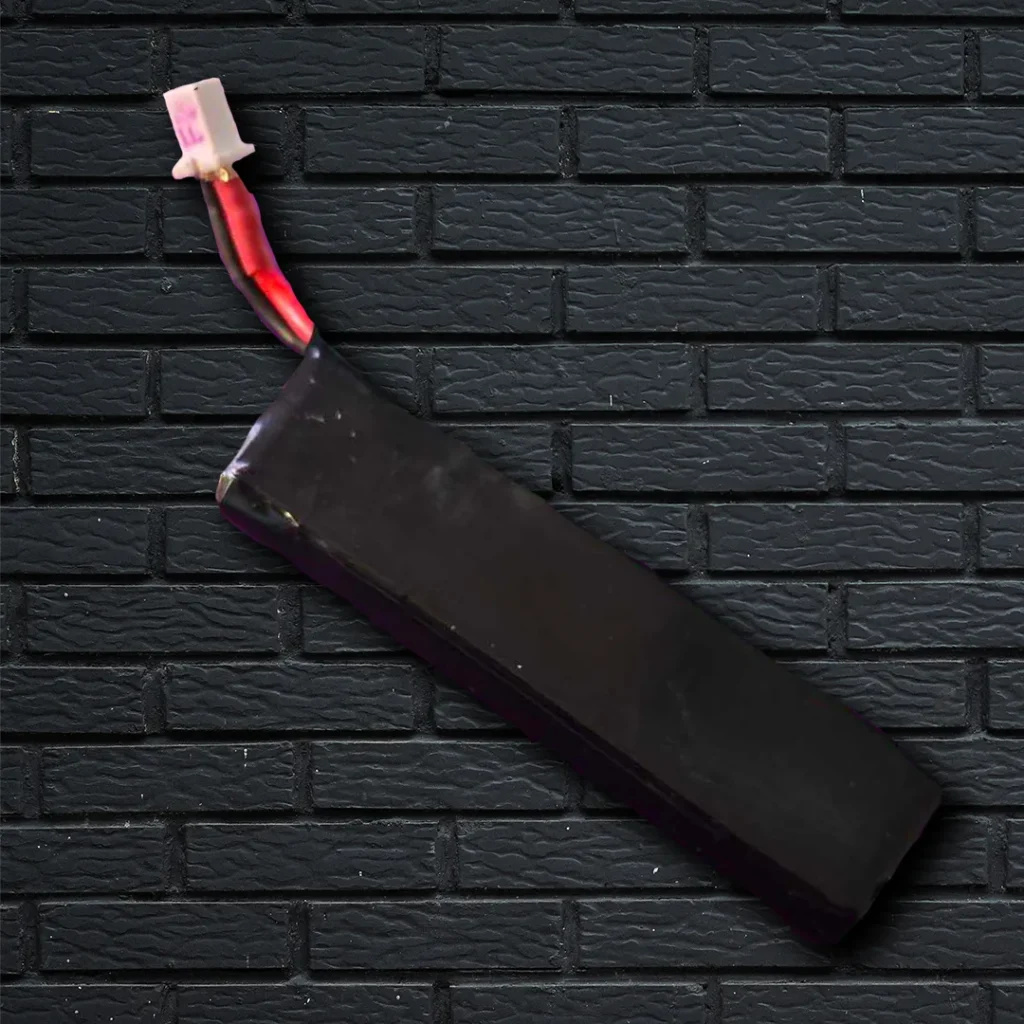
Batteries that have a “pigtail” (wires) may not add LEDs to the connector as a “viable” LED. This is because the LED would then be “floating” and not fixed. If you’d like to use something like the Blackhorse PCB LED, make sure you use a battery without a pigtail so the LEDs will count towards your requirement.
FINE PRINT RULES
These are rules that have to be specified somewhere just to keep builds in line
- It is recommend (but not required) to have your LEDs shine outward. This gives them the best chance of have their light visible from all orientations
- Most forms of LEDs, including COB strips, can be used and counted towards your LED total, so long as they are sufficiently bright and follow all other rules
- LEDs hanging only by the wire outside of your frame could get tangled in another pilots propellers and are not legal
- The more symmetrical your LEDs are on your build, the better it will look. Try to make your LEDs look good.
- Don’t make your LEDs excessively bright. This can blind other pilots. Consider powering your 5v LEDs/COBs from VBAT instead of the 5v rail.
- LEDs must be reasonably bright to count for your requirements. LEDs meant for troubleshooting electronics, like you might find on your FC, RX, or VTX, do not count. As a general rule of thumb, LEDs smaller than 0603 in size will not count
- If your FC has LEDs that are made specifically for being visible, they may count towards your LED requirement despite not being frame or battery connector mounted. You still need the emitted light to be in every quadrant and at least one visible regardless of drone orientation
LEGAL EXAMPLES
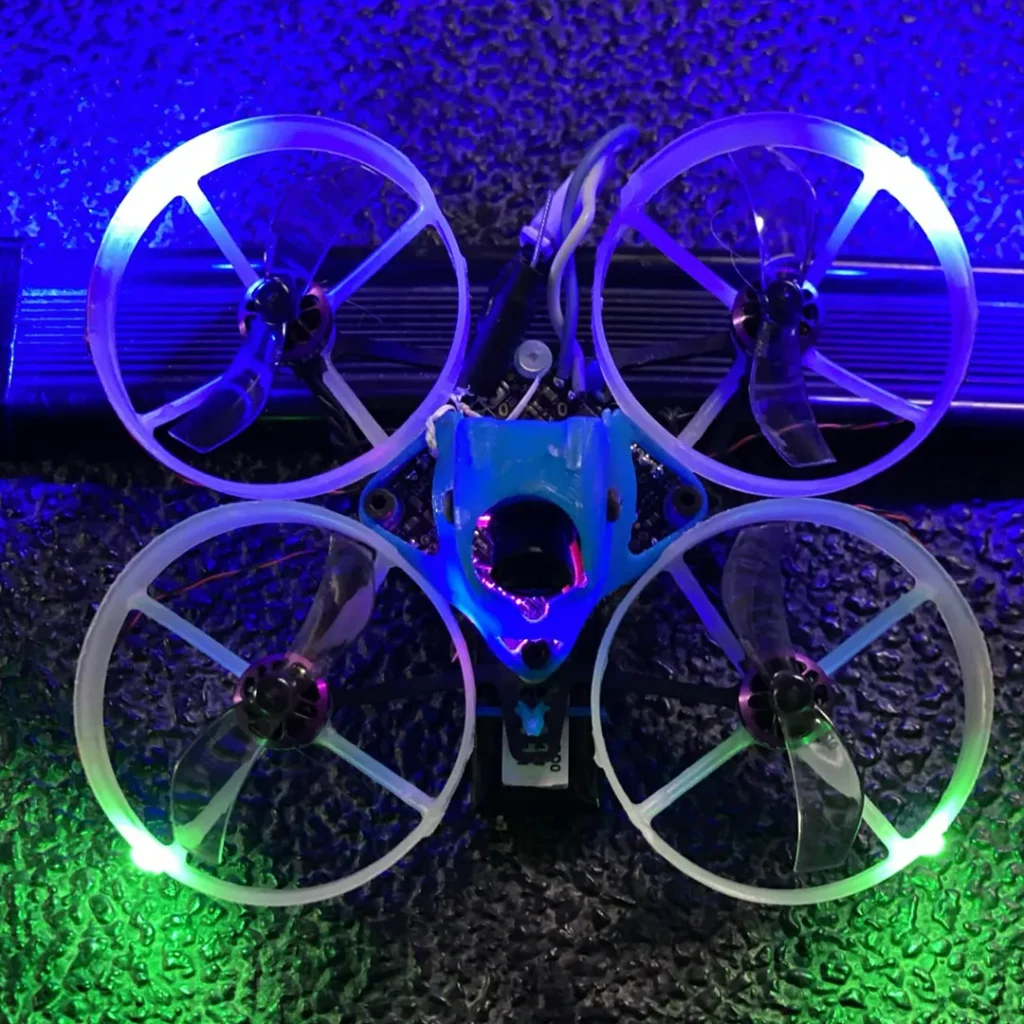
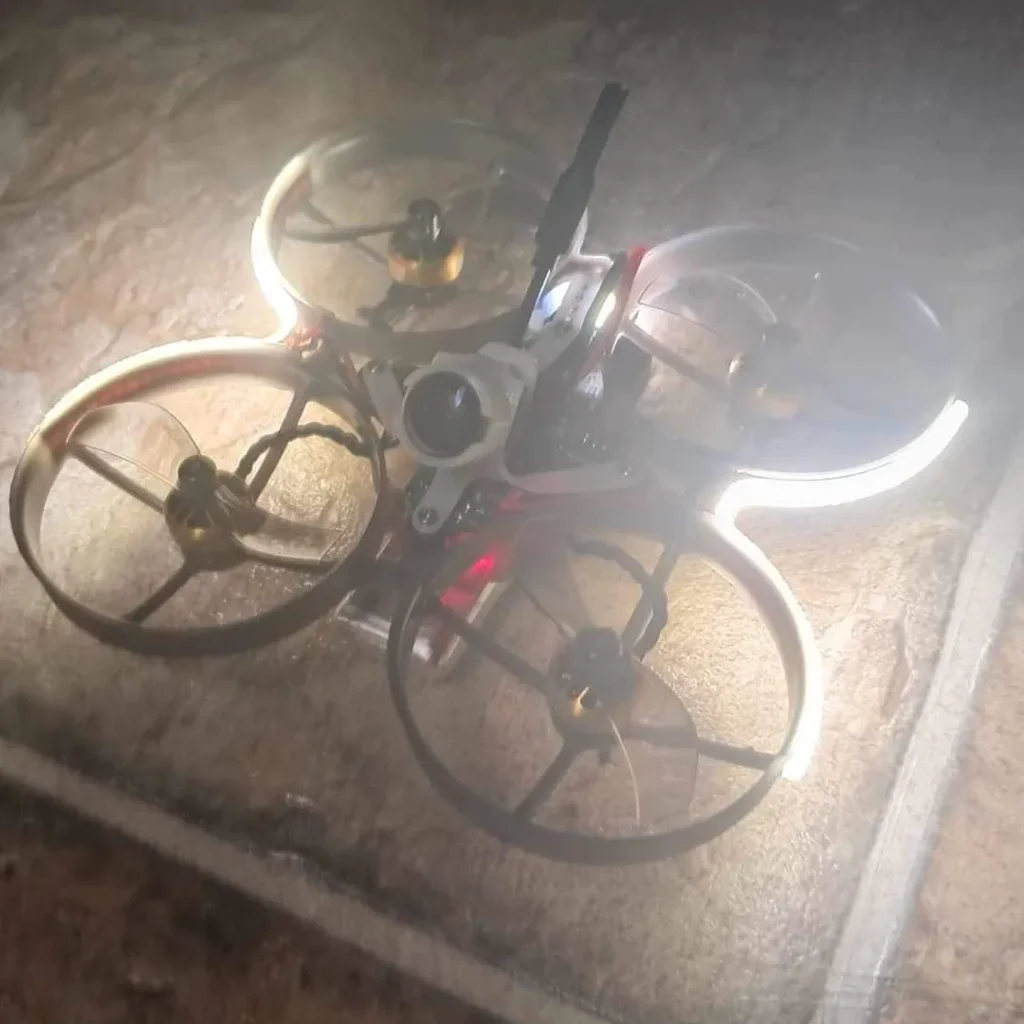
1206 LEDs in the + Configuration
Build by FlyingSharks
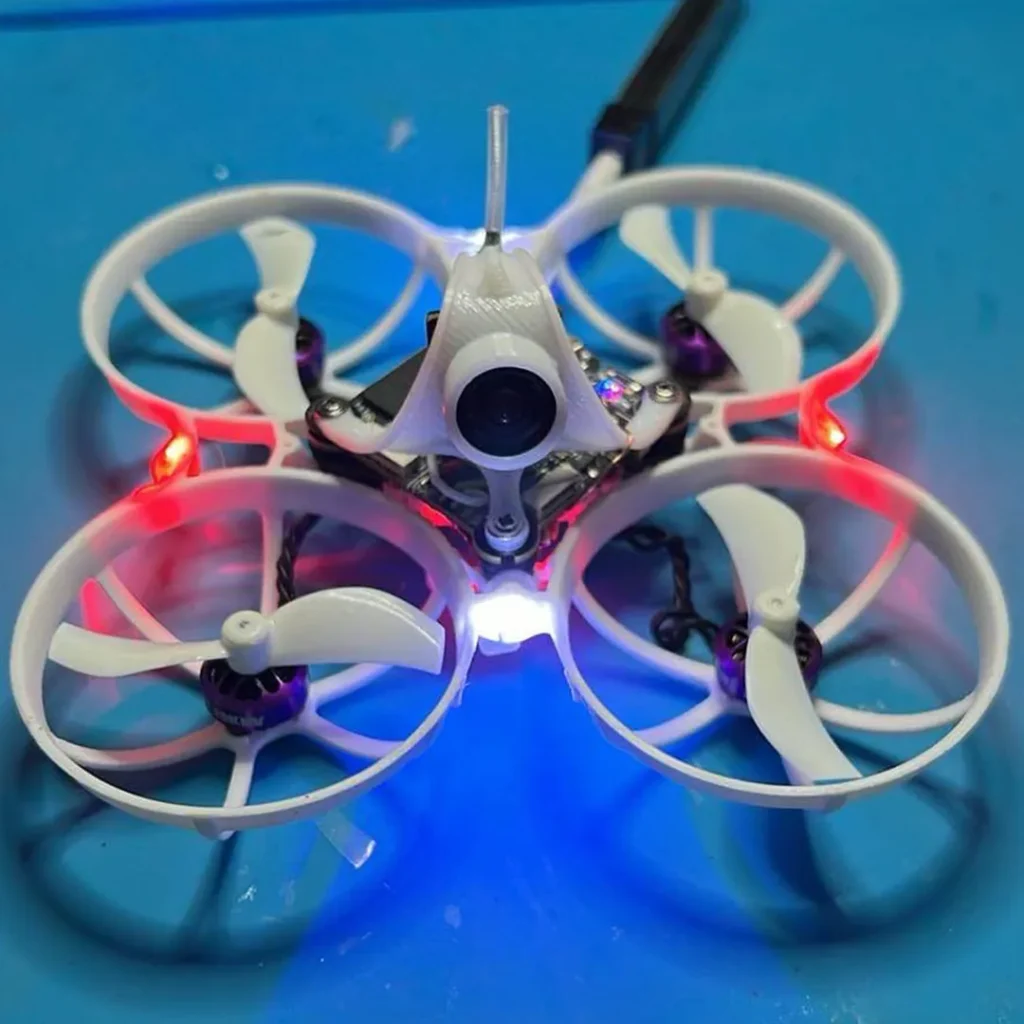
COB LEDs in the + Configuration
Build by BikeGuy
1206 LEDs in the x Configuration
Build by Outset FPV
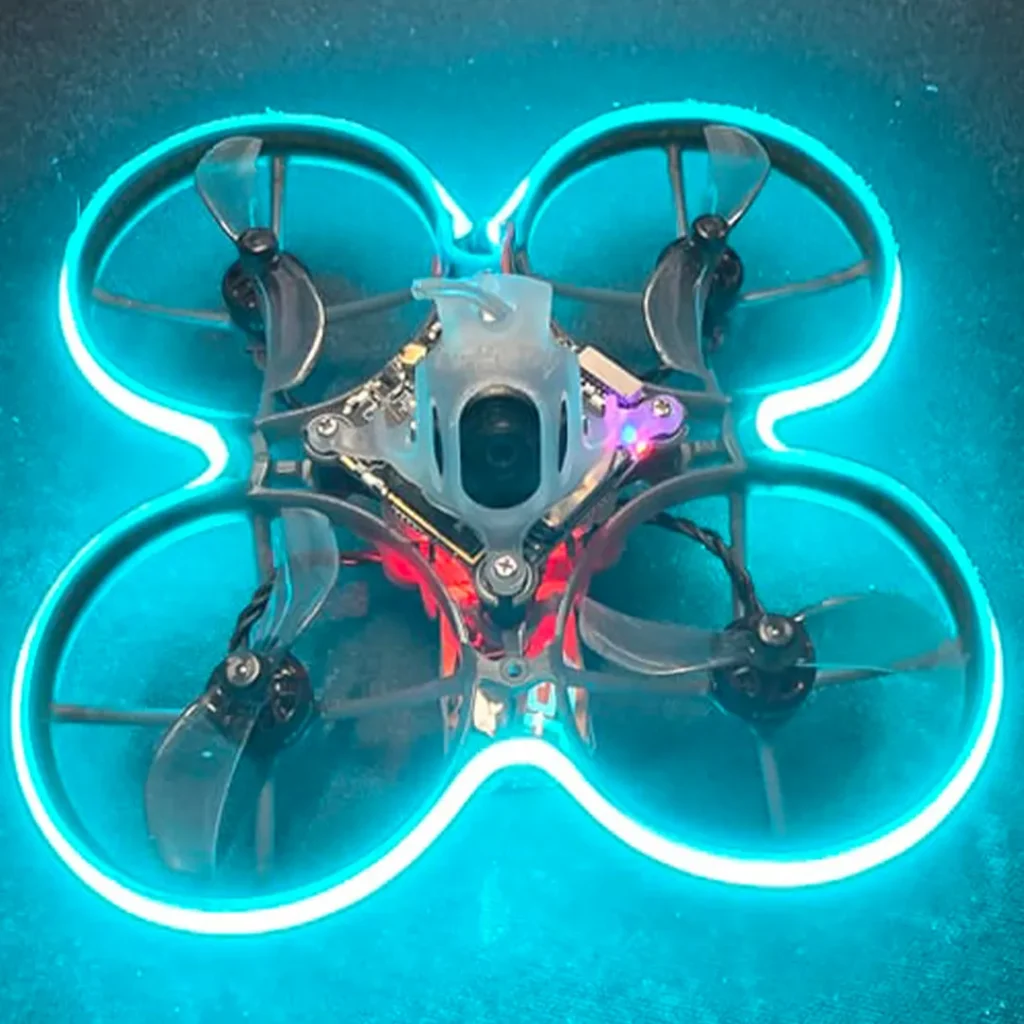
COB LEDs in all quadrants
Build by Papo FPV
LED CASE STUDIES
PropsOff Build
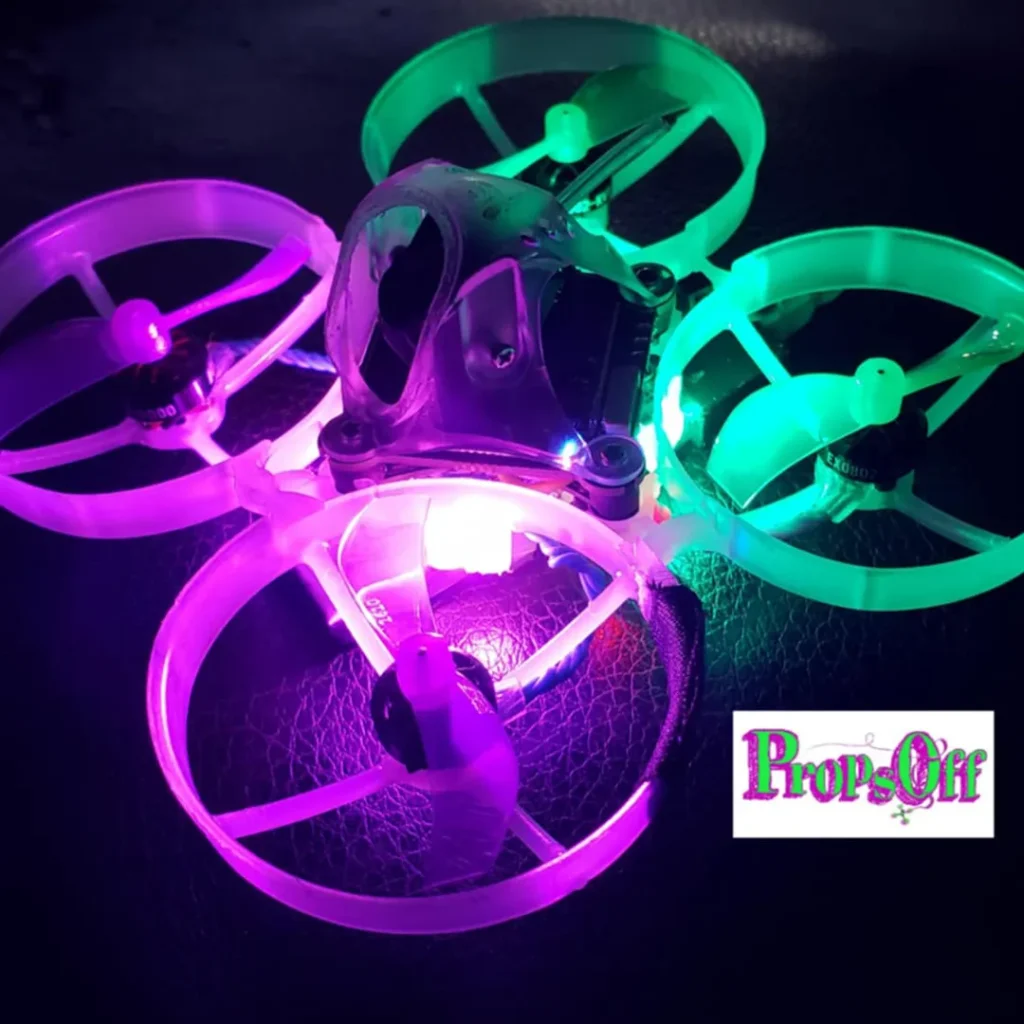
The LEDs are mounted on the battery tray here, which is pushing the limits. Typically speaking, LEDs mounted on your battery tray would not count towards your LED requirement. However, in this case, they are right on the corners of the battery tray, which is right on the edge of the red zone. It’s also worth noting that the light emitted from them is bright enough to illuminate the entire ducts, which is extra bonus points. If you want to use a layout like this, be very careful to make sure you’re building it like PropsOff as there’s not much room for deviation here. Make sure your LEDs are not in the red zone and facing outward!
Legal